CS2
How to Make a CS2 Dedicated Server (Windows & Linux)
Make your own Counter-Strike 2 dedicated server on Windows or Linux: download it with SteamCMD, create a GSLT, open the ports, set server.cfg and start it.
Series · part 1 of 4Your first CS2 server
In this guide 12 sections
A Counter-Strike 2 server is the CS2 game itself, started in dedicated mode. You download it with SteamCMD, create a free Game Server Login Token (GSLT) so it shows up publicly, open one port and start it with a few options. This guide does it step by step on Windows or Linux. The download is big (about 60 GB), so plan for that; the setup itself takes about 20 minutes.
Quick steps#
- Install SteamCMD and download the server:
app_update 730 validate. - Create a GSLT for App ID 730 at Steam game server account management.
- Open port 27015 (UDP for the game, TCP for RCON).
- Write
game/csgo/cfg/server.cfg: name, RCON password. - Start it:
cs2 -dedicated +map de_dust2 +sv_setsteamaccount YOUR_TOKEN.
The full instructions for each step are below.
What you need#
| Minimum | Notes | |
|---|---|---|
| System | Windows 10/11, or 64-bit Linux | Linux: Ubuntu 20.04, Debian 11 or newer |
| Disk | 65 GB | The download alone is about 60 GB; 80 GB gives room for updates |
| RAM | 2 GB | 4–8 GB with plugins and many players |
| CPU | x86-64 with SSE4.2 | Any desktop or server CPU from the last decade; a fast single core matters most |
You also need a Steam account to create the GSLT. Valve asks that it:
- is not limited (a limited account is one that has spent less than $5 on Steam),
- has a phone number added,
- isn't community banned or locked,
- has Counter-Strike 2 in its library (it's free to add).
For a public server, you also need a VPS, or a home router where you can forward ports.
Download the server with SteamCMD#
The CS2 server and the CS2 game share App ID 730. You don't need to own anything to download it: login anonymous works.
1Download SteamCMD
Download steamcmd.zip, unpack it to
C:\steamcmdand runsteamcmd.exeonce. It updates itself and stops atSteam>. Typequit.2Download CS2
Open Command Prompt in
C:\steamcmdand run:bashsteamcmd +force_install_dir C:\cs2-server +login anonymous +app_update 730 validate +quitIt takes a while: about 60 GB.
3Check the files
This file must exist:
C:\cs2-server\game\bin\win64\cs2.exe
1Create a user for the server
Don't run the server as
root:bashsudo adduser cs22Install what SteamCMD needs
SteamCMD is 32-bit, so on Ubuntu or Debian install its library:
bashsudo dpkg --add-architecture i386 sudo apt update sudo apt install lib32gcc-s1 curl screen3Download SteamCMD
Log in as the new user (
su - cs2), then:bashmkdir ~/steamcmd && cd ~/steamcmd curl -sqL "https://steamcdn-a.akamaihd.net/client/installer/steamcmd_linux.tar.gz" | tar zxvf -4Download CS2
bash./steamcmd.sh +force_install_dir ~/cs2-server +login anonymous +app_update 730 validate +quitKeep the folder name in lowercase: on some Linux systems the path can't have capital letters.
5Link the Steam library
CS2 looks for
steamclient.soin a place SteamCMD doesn't fill. Link it once:bashmkdir -p ~/.steam/sdk64 ln -s ~/steamcmd/linux64/steamclient.so ~/.steam/sdk64/steamclient.so
Create a Game Server Login Token (GSLT)#
Without a GSLT, the server works only on your network and isn't listed publicly. It's free.
1Open the token page
Go to steamcommunity.com/dev/managegameservers and log in with your Steam account.
2Create the token
In App ID, type
730. In Memo, write something to recognise it (for exampleMy CS2 server). Click Create.3Copy the token
You get a long code of letters and numbers under Login Token. You'll put it in the start command. Use one token per server. A token that's never used for a long time expires; you can regenerate it on the same page.
Anyone with your token can run a server under your Steam account. Also: Valve bans the GSLT of servers that give players skins, knives, gloves or ranks they don't own, and those bans are permanent. Don't run skin-changer plugins (!ws, !knife, !gloves) on a server with your token.
Open the ports#
| Port | Protocol | What for |
|---|---|---|
| 27015 | UDP | The game. Required |
| 27015 | TCP | RCON (remote console). Needed to manage the server from outside |
| 27020 | UDP | GOTV only, if you use it |
Open Command Prompt as administrator:
netsh advfirewall firewall add rule name="CS2 server UDP" dir=in action=allow protocol=UDP localport=27015
netsh advfirewall firewall add rule name="CS2 server TCP" dir=in action=allow protocol=TCP localport=27015
With ufw:
sudo ufw allow 27015/udp
sudo ufw allow 27015/tcp
Hosting at home? Forward the same ports in your router to your PC's local IP (the setting is usually called Port forwarding).
Set up server.cfg#
The server runs this file on every map start:
game/csgo/cfg/server.cfgCreate it (or open it) and paste this. Change the values marked <-:
// Name in the server browser  <-
hostname "My CS2 Server"

// Empty = public. Set a password for a private server
sv_password ""

// Remote console password; long and secret  <-
rcon_password "change-me-to-something-long"

// Internet server
sv_lan 0
sv_cheats 0

// Competitive rules
mp_maxrounds 24
mp_roundtime 1.92
mp_freezetime 15
mp_autoteambalance 1

// Save CPU when nobody is on
sv_hibernate_when_empty 1
Start the server#
Pick the game mode with game_type and game_mode:
| Mode | game_type | game_mode |
|---|---|---|
| Casual | 0 | 0 |
| Competitive | 0 | 1 |
| Wingman | 0 | 2 |
| Deathmatch | 1 | 2 |
Create C:\cs2-server\start.bat. Run it from a terminal or double-click the .bat, but never double-click cs2.exe itself: that starts the game, not the server.
@echo off
cd /d C:\cs2-server\game\bin\win64
cs2.exe -dedicated -console -usercon -port 27015 -maxplayers 10 +game_type 0 +game_mode 1 +map de_dust2 +sv_setsteamaccount YOUR_TOKEN
Create ~/cs2-server/start.sh:
#!/bin/bash
cd ~/cs2-server/game
./cs2.sh -dedicated -usercon -port 27015 -maxplayers 10 +game_type 0 +game_mode 1 +map de_dust2 +sv_setsteamaccount YOUR_TOKEN
Make it executable and run it inside screen, so it keeps running after you close SSH:
chmod +x ~/cs2-server/start.sh
screen -S cs2 ~/cs2-server/start.sh
Leave it running with Ctrl + A, then D. Come back with screen -r cs2.
Replace YOUR_TOKEN with your GSLT. What the options do:
| Option | Meaning |
|---|---|
-dedicated | Start as a server, not as the game |
-console | Show the console window (Windows) |
-usercon | Allow RCON |
-port 27015 | Game port; use another one for a second server |
-maxplayers 10 | Slots |
+game_type / +game_mode | The game mode (table above) |
+map de_dust2 | First map |
+sv_setsteamaccount | Your GSLT |
Connect and check#
Open CS2, enable the console (Settings → Game → Enable Developer Console), press ~ and type:
connect YOUR.SERVER.IP:27015Type server commands in the server console (the window or the screen session). To control the server from elsewhere, use RCON on TCP port 27015 with a Source RCON tool and your rcon_password.
In CS2, rcon typed in your own game console often doesn't work while you're connected to that server. Use an RCON tool or the server console instead. For in-game admin commands, use an admin plugin (see the plugin guides in this series).
Useful server commands:
| Command | What it does |
|---|---|
changelevel de_mirage | Change the map |
host_workshop_map 123456789 | Load a Workshop map by its ID (from the Workshop link) |
bot_quota 4 | Keep 4 bots in the game |
bot_kick | Remove all bots |
status | Show the map and the players |
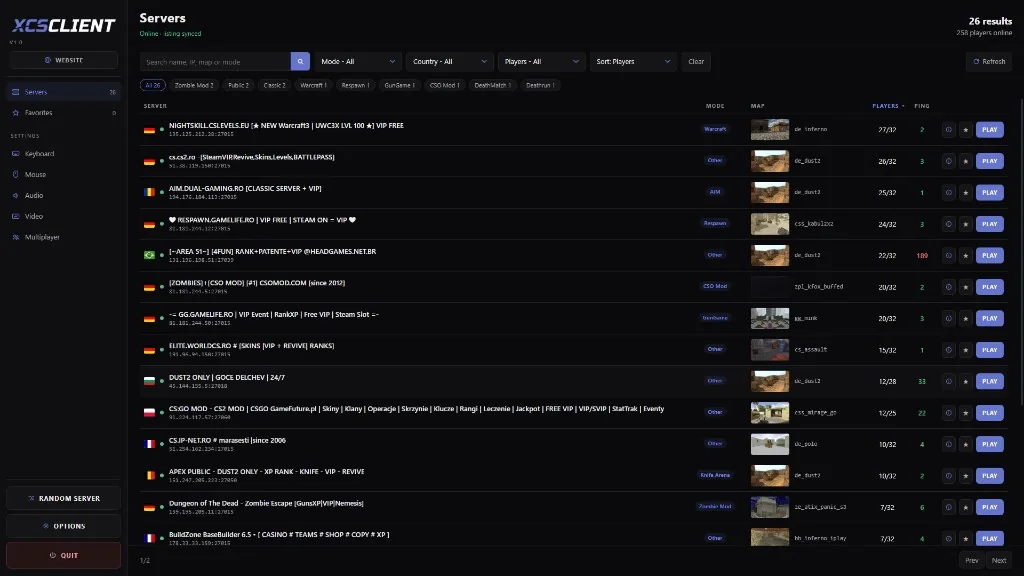
Put your server on XCSTRIKE so players can find it:
Add your serverList your server on XCSTRIKE and get players.OpenKeep it updated#
CS2 gets updates often, and an outdated server can't be joined by players with the new game version. Stop the server and run the same download command without validate:
C:\steamcmd\steamcmd +force_install_dir C:\cs2-server +login anonymous +app_update 730 +quit~/steamcmd/steamcmd.sh +force_install_dir ~/cs2-server +login anonymous +app_update 730 +quitMany owners run this before every start, by putting it at the top of the start script.
An update can reset game/csgo/gameinfo.gi. If you use Metamod and plugins (next guide), check that file after every update.
Troubleshooting#
The server isn't in the server list#
Usually the GSLT is missing, wrong or used by another server, or UDP 27015 isn't open. Check the +sv_setsteamaccount value and the firewall. Players can always join with connect IP:27015 meanwhile.
"No Steam logon" or the server won't log in#
The GSLT expired or was banned. Check it on the token page, and create a new one for App ID 730 if needed.
Failed to load module '…/.steam/sdk64/steamclient.so' (Linux)#
Run the two steamclient.so commands from the Linux download steps, then start again.
"Failed to initialize Steamworks SDK for gameserver" (Windows)#
Steam isn't installed on the machine. Install the Steam client, then start the server again. The window may close right after the error, so start it from a terminal to read it.
Clicking cs2.exe opens the game#
Always start it with -dedicated, through start.bat or a terminal.
Connecting by public IP fails from the same network#
Many home routers can't connect to their own public IP from inside (no NAT loopback). From your network, use the PC's local IP (192.168.x.x); players outside use the public IP.
The server stutters#
CS2 needs a fast CPU core. On a cheap VPS, lower -maxplayers, or pick a plan with a faster CPU.
FAQ#
Is a CS2 server free?#
Yes. The server files and the GSLT are free. You pay only for the machine it runs on.
Do I need a GSLT?#
For a public server listed on the internet, yes. For a private server on your own network, no.
How much space does a CS2 server need?#
At least 65 GB; 80 GB or more leaves room for updates.
Can I run CS2 plugins?#
Yes, with Metamod:Source and CounterStrikeSharp. That's the next guide.
Next steps#
Your CS2 server is online. Next, add Metamod:Source and CounterStrikeSharp so it can run plugins:
How to Install Metamod:Source and CounterStrikeSharp on CS2Install Metamod:Source and CounterStrikeSharp on your CS2 server: edit gameinfo.gi, check with meta list, and fix plugins after CS2 updates.Read the guide- Browse the CS2 plugins in the plugin library