 CS2
CS2 Practice Server: Config and Commands (2026)
A ready CS2 practice config to copy: infinite money and ammo, respawn, grenade camera and rethrow. Practice offline or on your own server with your team.
In this guide 8 sections
A practice server lets you learn smokes, flashes and molotovs without rounds ending: infinite money, infinite ammo, instant respawn and a camera that follows each grenade to where it lands. You can run it offline in your own game in two minutes, or on a dedicated server for your team. This guide gives you a ready config, the commands worth binding, and how to set up both.
Quick steps#
- Create
practice.cfgin your CS2game/csgo/cfgfolder and paste the config below. - Start CS2: Play → Practice → Competitive, pick a map, GO.
- Open the console with ~ and type
exec practice. - Throw a grenade; press your rethrow key to throw it again from the same spot.
The full instructions for each step are below.
The practice config#
Copy it as it is:
// XCSTRIKE practice config
sv_cheats 1

// Bots out, teams free
bot_kick
bot_quota 0
mp_limitteams 0
mp_autoteambalance 0

// No warmup, no waiting, rounds that don't end
mp_warmup_end
mp_freezetime 0
mp_roundtime 60
mp_roundtime_defuse 60
mp_ignore_round_win_conditions 1
mp_respawn_on_death_ct 1
mp_respawn_on_death_t 1

// Money and buying
mp_startmoney 60000
mp_maxmoney 60000
mp_buytime 9999
mp_buy_anywhere 1

// Ammo and grenades
sv_infinite_ammo 1
ammo_grenade_limit_total 5

// See where grenades and bullets go
sv_grenade_trajectory_prac_pipreview 1
sv_grenade_trajectory_prac_trailtime 8
sv_showimpacts 1
sv_showimpacts_time 10

mp_restartgame 1
echo "Practice config loaded"
What it does, in short:
| Part | Effect |
|---|---|
bot_kick, bot_quota 0 | Removes bots and keeps them out |
mp_roundtime 60, mp_ignore_round_win_conditions 1 | 60-minute rounds that don't end when a team dies |
mp_respawn_on_death_ct/t 1 | You respawn right after dying |
mp_buy_anywhere 1, mp_buytime 9999 | Buy anywhere, anytime, with $60,000 |
sv_infinite_ammo 1 | Grenades and ammo never run out |
ammo_grenade_limit_total 5 | Carry up to 5 grenades |
sv_grenade_trajectory_prac_pipreview 1 | A small camera that follows the grenade to its landing spot |
sv_grenade_trajectory_prac_trailtime 8 | The grenade's path stays visible for 8 seconds |
sv_showimpacts 1 | Shows where bullets hit, for spray practice |
Many older configs copied from CS:GO use grenade commands that CS2 doesn't have anymore, such as sv_grenade_trajectory_prediction; the console just answers that the command is unknown. In CS2, use the sv_grenade_trajectory_prac_* settings above.
Practice offline (just you)#
1Create the file
Go to your CS2 config folder. With a default Steam install it's:
C:\Program Files (x86)\Steam\steamapps\common\Counter-Strike Global Offensive\game\csgo\cfgCreate a new text file named
practice.cfg(make sure it doesn't end in.cfg.txt) and paste the config above.2Turn on the console
In CS2, open Settings → Game and set Enable Developer Console (~) to Yes.
3Start a practice map
Click Play → Practice → Competitive, choose a map and click GO.
4Load the config
Open the console with ~ and type:
bashexec practiceThe round restarts with all the settings. After a map change, type
exec practiceagain.
Useful binds#
Put these in the console once, or add them at the end of practice.cfg:
bind "n" "sv_rethrow_last_grenade"   // throw the last grenade again
bind "MOUSE5" "noclip"              // fly through walls
bind "j" "cl_removedecals" // clear bullet marks| Command | What it does |
|---|---|
sv_rethrow_last_grenade | Throws your last grenade again from the same spot, same way. The fastest way to check a lineup |
noclip | Fly through walls: go see where a smoke landed, then come back |
god | You can't die |
cl_removedecals | Clears bullet marks from walls |
bot_place | Puts a bot where you're looking (for checking angles) |
Clear smokes and fires#
To remove all smokes and molotovs without restarting the round, run these (they need sv_cheats 1):
ent_remove_all smokegrenade_projectile
ent_remove_all molotov_projectile
ent_remove_all inferno
You can bind all three to one key:
bind "k" "ent_remove_all smokegrenade_projectile; ent_remove_all molotov_projectile; ent_remove_all inferno"Practice on a dedicated server (with your team)#
On your own CS2 server, several people can practice together. No server yet? Make one first:
How to Make a CS2 Dedicated Server (Windows & Linux)Make your own Counter-Strike 2 dedicated server on Windows or Linux: download it with SteamCMD, create a GSLT, open the ports, set server.cfg and start it.Read the guide1Put the config on the server
Copy the same
practice.cfgto the server:game/csgo/cfg/practice.cfg2Run it on the server
Type in the server console (not in your game):
bashexec practiceBinds stay in each player's own game, so leave them out of the server's copy, or each player sets their own.
3Go back to normal play
Restart the server, or change the map and turn cheats off first with
sv_cheats 0.
sv_cheats 1 applies to everyone on the server while it's on: every player can use noclip, god and the other cheat commands. Use the practice config only on a private server (set sv_password in server.cfg), never on a public one.
Valve's map guides#
CS2 has built-in map guides that show lineups on the map. Offline, load them from Play → Practice → Load Map Guides. On a dedicated server, they're controlled by sv_allow_annotations_access_level (0 off, 1 view only, 2 full) and load from the pause menu.
With a plugin: MatchZy#
If your server uses the MatchZy plugin (common for team matches), it has a practice mode built in. Type .prac in chat to start it and .exitprac to leave. It adds .rethrow, .savenade / .loadnade to save lineups, .clear to remove smokes and fires, and .noflash so your own flashes don't blind you.
Troubleshooting#
Cheat commands don't work (noclip, rethrow)#
The console says the server needs sv_cheats set to 1, so it isn't on. Run exec practice again, or type sv_cheats 1. On a dedicated server it must be set on the server, not in your game.
exec practice says the file isn't found#
The file is in the wrong folder or is named practice.cfg.txt. In Windows File Explorer, turn on View → File name extensions and check the name, and that it's in game\csgo\cfg.
Settings reset after a map change#
Changing the map loads the default config again. Type exec practice after every map change.
Bots keep joining#
Some game modes add bots on their own. bot_quota 0 must come after the mode is loaded, which is why it's in the config; run exec practice again after a map change.
FAQ#
How do I make a practice server in CS2?#
Create practice.cfg with the config from this guide, start Play → Practice on any map, and type exec practice in the console.
How do I see where my grenade lands?#
sv_grenade_trajectory_prac_pipreview 1 shows a small camera that follows the grenade; sv_grenade_trajectory_prac_trailtime 8 keeps its path visible. Both are in the config.
How do I throw the same grenade again?#
Type sv_rethrow_last_grenade, or bind it to a key: bind "n" "sv_rethrow_last_grenade".
Can I use practice commands on a community server?#
Only if the server has sv_cheats 1, which public servers don't. Use offline practice, or your own private server.
Next steps#
- Make your own CS2 server for team practice: the CS2 server series
- Find live CS2 servers to play on:
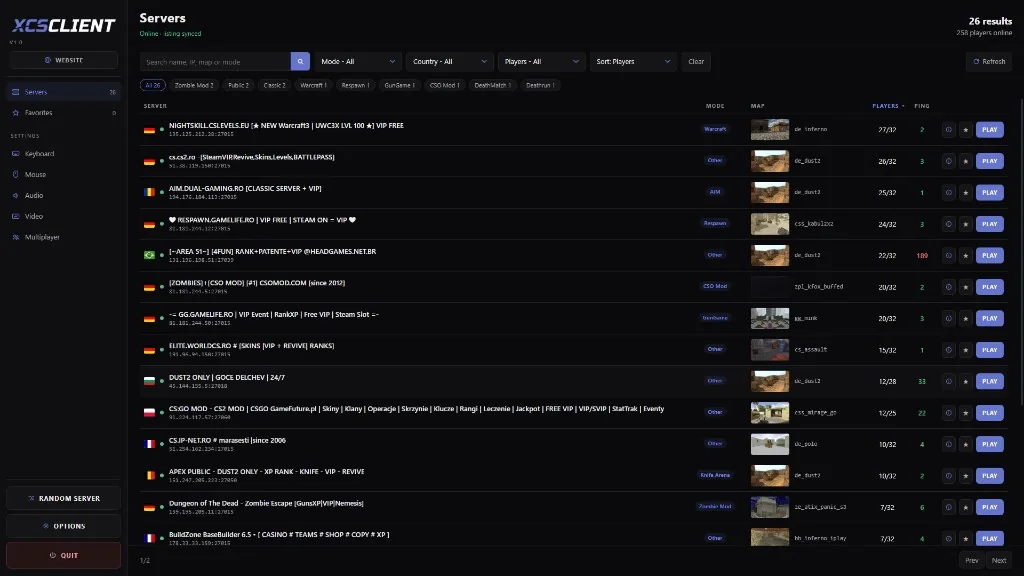
Live CS2 serversBrowse servers with players online right now, by map, mode and country.Browse servers