 CS:GO
How to Make a CS:GO Server in 2026 (Standalone App 4465480)
Host a CS:GO dedicated server for the 2026 standalone version: SteamCMD app 740, the 4465480 App ID fix, GSLT, ports, server.cfg and start scripts.
 By StefaK
Written forCS:GO standalone (App 4465480)SteamCMD app 740
Series · part 1 of 3Your first CS:GO server
In this guide 13 sections
The CS:GO dedicated server still downloads from SteamCMD, but the 2026 standalone CS:GO (App ID 4465480) needs a few changes before its players can join: two files that name the App ID, a GSLT made for that ID, and a small SourceMod plugin called NoLobbyReservation. This guide does all of it, on Windows or Linux.
Quick steps#
- Download the server with SteamCMD:
app_update 740 validate. - Write
4465480insteam_appid.txtand incsgo/steam.inf(appID=4465480). - Create a GSLT for App ID 4465480.
- Install Metamod:Source, SourceMod and the NoLobbyReservation plugin (part 2).
- Open port 27015 and start the server with
+sv_setsteamaccount YOUR_TOKEN. - Players join with
connect IP:27015.
The full instructions for each step are below.
What you need#
| System | Windows 10/11, or 64-bit Linux (Ubuntu 22.04 or newer) |
| Disk | About 30 GB (the server files are about 25 GB) |
| Steam account | Owns CS:GO or CS2, isn't limited, and has a phone number (for the GSLT) |
Since 2026 there are two CS:GO clients: the standalone CS:GO (App ID 4465480) and the csgo_legacy beta inside CS2 (App ID 730). A server accepts only one of them. This guide sets up the server for the standalone CS:GO, which most players use now. The FAQ explains the other case.
Download the server#
The server files still come from the old App ID 740.
1Download SteamCMD
Download steamcmd.zip, unpack it to
C:\steamcmd, runsteamcmd.exeonce and typequitwhen it's done.2Download the CS:GO server
Open Command Prompt in
C:\steamcmd:bashsteamcmd +force_install_dir C:\csgo-server +login anonymous +app_update 740 validate +quit3Check the files
C:\csgo-server\srcds.exeC:\csgo-server\csgo\steam.inf
1Create a user and install what's needed
bashsudo adduser csgo sudo dpkg --add-architecture i386 sudo apt update sudo apt install lib32gcc-s1 lib32stdc++6 curl screen2Download SteamCMD
Log in as the new user (
su - csgo):bashmkdir ~/steamcmd && cd ~/steamcmd curl -sqL "https://steamcdn-a.akamaihd.net/client/installer/steamcmd_linux.tar.gz" | tar zxvf -3Download the CS:GO server
bash./steamcmd.sh +force_install_dir ~/csgo-server +login anonymous +app_update 740 validate +quit4Fix the bundled libgcc
The server ships an old
libgcc_s.so.1that stops it from starting on recent Ubuntu. Rename it so the system one is used:bashmv ~/csgo-server/bin/libgcc_s.so.1 ~/csgo-server/bin/libgcc_s.so.1.bak
Set the 2026 App ID#
The server files still say they're for App ID 730 (CS2). Change them to 4465480, or standalone CS:GO players can't connect.
First, create (or open) C:\csgo-server\steam_appid.txt and write only:
4465480Then open C:\csgo-server\csgo\steam.inf and change the appID line to:
appID=4465480echo "4465480" > ~/csgo-server/steam_appid.txt
sed -i 's/^appID=.*/appID=4465480/' ~/csgo-server/csgo/steam.infRunning app_update 740 validate again puts the original files back. After every update, check both files again. On Linux you can put the two commands at the top of your start script so they run every time.
Create the GSLT#
1Open the token page
Go to steamcommunity.com/dev/managegameservers and log in.
2Use App ID 4465480
In App ID, type
4465480(not 730), add a memo likeMy CS:GO server, and click Create.3Copy the token
You'll put it in the start command.
Valve bans the GSLT of servers that give players skins, knives or gloves they don't own. Skin plugins are common on CS:GO servers, but they put your token at risk.
Install Metamod, SourceMod and NoLobbyReservation#
Standalone CS:GO players are disconnected while joining unless the server runs the NoLobbyReservation plugin. It's a SourceMod plugin, so the server needs Metamod:Source and SourceMod first. The next guide installs all three:
How to Install SourceMod on a CS:GO Server (+ NoLobbyReservation)Install Metamod:Source and SourceMod 1.12 on your CS:GO server, add the NoLobbyReservation plugin that 2026 players need, and install more plugins.Read the guideDo that before you invite players. You can still start the server now to test it.
Write server.cfg#
csgo/cfg/server.cfg// Name in the server list <-
hostname "My CS:GO Server"
// Remote console password; long and secret <-
rcon_password "change-me-to-something-long"
// Empty = public
sv_password ""
sv_lan 0
sv_cheats 0
// Network rates for a 128-tick server
sv_minrate 128000
sv_maxrate 0
sv_mincmdrate 64
sv_maxcmdrate 128
sv_minupdaterate 64
sv_maxupdaterate 128
// Logs and bans
log on
sv_logbans 1
writeid
writeipOpen the ports#
| Port | Protocol | What for |
|---|---|---|
| 27015 | UDP + TCP | The game (UDP) and RCON (TCP). Required |
| 27020 | UDP | SourceTV, if you use it |
| 27005 | UDP | Client port |
| 26900 | UDP | Steam |
netsh advfirewall firewall add rule name="CS:GO server UDP" dir=in action=allow protocol=UDP localport=27015
netsh advfirewall firewall add rule name="CS:GO server TCP" dir=in action=allow protocol=TCP localport=27015sudo ufw allow 27015At home, forward the same ports in your router to your PC's local IP.
Start the server#
Choose the mode with game_type and game_mode:
| Mode | game_type | game_mode |
|---|---|---|
| Casual | 0 | 0 |
| Competitive | 0 | 1 |
| Wingman | 0 | 2 |
| Arms Race | 1 | 0 |
| Deathmatch | 1 | 2 |
@echo off
cd /d C:\csgo-server
srcds.exe -game csgo -console -usercon -port 27015 -tickrate 128 +game_type 0 +game_mode 1 +mapgroup mg_active +map de_dust2 +sv_setsteamaccount YOUR_TOKEN -net_port_try 1#!/bin/bash
cd ~/csgo-server
# Put the 2026 App ID back in case an update reset it
echo "4465480" > steam_appid.txt
sed -i 's/^appID=.*/appID=4465480/' csgo/steam.inf
./srcds_run -game csgo -console -usercon -port 27015 -tickrate 128 +game_type 0 +game_mode 1 +mapgroup mg_active +map de_dust2 +sv_setsteamaccount YOUR_TOKEN -net_port_try 1chmod +x ~/csgo-server/start.sh
screen -S csgo ~/csgo-server/start.shLeave it running with Ctrl + A, then D; come back with screen -r csgo.
Replace YOUR_TOKEN with your GSLT.
Connect and check#
From standalone CS:GO, open the console and type:
connect YOUR.SERVER.IP:27015In the server console, check that everything is loaded:
meta list
sm plugins list
meta list shows SourceMod, and sm plugins list shows No Lobby Reservation.
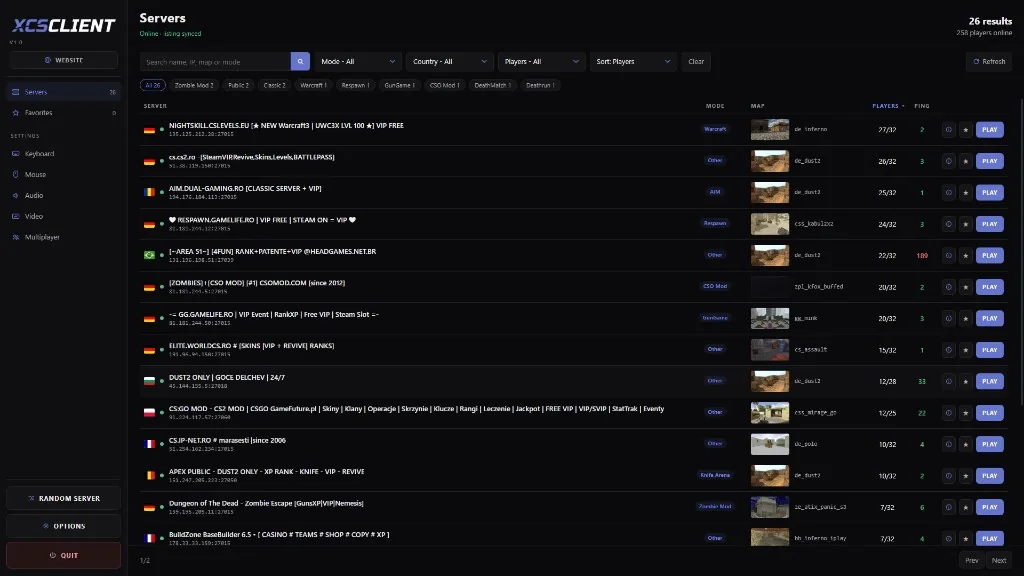
Then put your server on XCSTRIKE so players can find it:
Add your serverList your server on XCSTRIKE and get players.OpenTroubleshooting#
Players are disconnected right when they join#
NoLobbyReservation isn't running. Check sm plugins list. If it's missing, install it as in part 2.
Players stay on "Connecting" or can't find the server#
Check that steam_appid.txt and csgo/steam.inf both say 4465480 (an update may have reset them), that the GSLT is for 4465480, and that UDP 27015 is open.
The server doesn't start on Linux#
Rename bin/libgcc_s.so.1 as shown above, and check that lib32gcc-s1 and lib32stdc++6 are installed.
"Your server is out of date" in the console#
CS:GO doesn't get updates anymore, so the version check can complain. If players can join, you can ignore it.
The server isn't in the server list#
Check the GSLT and the ports. Players can always join with connect IP:27015, and you can list the server on XCSTRIKE.
FAQ#
Which App ID do I use for a CS:GO server in 2026?#
Download with 740. Set 4465480 in steam_appid.txt, csgo/steam.inf, and the GSLT.
Can CS2's csgo_legacy players join too?#
Not on the same server. A server advertises one App ID. For csgo_legacy players, keep 730 in both files and use a GSLT for 730. To serve both, run two separate installs.
Do I need SourceMod?#
Yes, for the 2026 standalone CS:GO: NoLobbyReservation is a SourceMod plugin, and players can't join without it.
Will the server get updates?#
No. CS:GO is the final 2023 build. You only run SteamCMD again to repair files.