CS 1.6
How to Add Maps to a CS 1.6 Server (+ FastDL)
Add custom maps to your CS 1.6 server: where each file goes, mapcycle and map vote, .res files, and FastDL so players download maps in seconds.
Series · part 5 of 5Your first CS 1.6 server
In this guide 9 sections
A CS 1.6 map is a .bsp file, often with a few extra files (textures, sky, sounds). You put them in the server's cstrike folder, add the map to the rotation, and the server sends the files to players who don't have them. With FastDL they download from a web server in seconds instead of minutes. This guide covers all of it.
Quick steps#
- Copy the map's
.bspintocstrike/maps/and its other files into the matching folders. - Check it loads:
changelevel mapnamein the server console. - Add the name to
cstrike/mapcycle.txt(and toaddons/amxmodx/configs/maps.iniif you use it). - Upload the same files to a web server, in the same folders.
- In
server.cfg, setsv_downloadurl "http://your-site/cstrike/"andsv_allowdownload 1.
The full instructions for each step are below.
What a map is made of#
A custom map can come with more than the .bsp. Everything goes in cstrike, in the same folders as in the archive:
| File | Folder | What it is |
|---|---|---|
mapname.bsp | cstrike/maps/ | The map itself; always needed |
mapname.res | cstrike/maps/ | List of the map's extra files, so players get them too |
mapname.txt | cstrike/maps/ | Short description shown when players join |
*.wad | cstrike/ | Texture packs the map uses |
*.tga (sky) | cstrike/gfx/env/ | The sky (6 images) |
*.mdl | cstrike/models/ | Models placed on the map |
*.wav | cstrike/sound/ | Sounds |
*.spr | cstrike/sprites/ | Sprites |
*.bmp / *.txt | cstrike/overviews/ | The map overview for spectators |
On Linux, De_Dust_Pro.bsp and de_dust_pro.bsp are different files. Keep every file and folder name in lowercase, and type map names the same way.
Add a map to the server#
1Copy the files
Unpack the map archive. If it has a
mapsfolder, copy the folders it contains intocstrikeand let them merge. If you only have a.bsp, put it here:cstrike/maps/mapname.bsp2Check the server sees it
In the server console, list the maps whose name starts with what you type:
bashmaps de_3Load it once
Change to the map from the server console (or with
rcon):bashchangelevel mapnameIf the server stays up and you can play on it, the map works. As an admin in game you can also use
amx_map mapname.
Put the map in the rotation#
The order of maps is in mapcycle.txt, one name per line, without .bsp:
de_dust2
de_inferno
de_nuke
de_dust_pro
fy_pool_day
When a map ends (mp_timelimit), the server goes to the next one in this list.
The AMX Mod X map vote#
AMX Mod X starts a vote for the next map near the end of each map (mapchooser.amxx), and admins pick maps from a menu (mapsmenu.amxx). Both take their list from:
cstrike/addons/amxmodx/configs/maps.iniIf maps.ini doesn't exist, they use mapcycle.txt. So:
- One list for everything: delete
maps.ini. The vote and the menu usemapcycle.txt. - A different list for votes: keep
maps.iniand write the maps there, one per line.
de_dust2
de_inferno
de_dust_pro
fy_pool_day
When does the vote start?
Without a round or win limit, the vote starts in the last two minutes of the map, and the menu stays open for 15 seconds. Players can also vote to extend the map, by amx_extendmap_step minutes (default 15), until mp_timelimit reaches amx_extendmap_max (default 90).
Make sure players get every file#
When a player joins and doesn't have the map, the server sends the .bsp. It does not automatically send everything else: if the map needs a .wad, a sky or models, players without them see missing textures, a black sky, or get an error.
The fix is a .res file next to the map, with the same name. It lists the extra files, one path per line, relative to cstrike:
// Extra files for de_dust_pro
de_dust_pro.wad
gfx/env/dustprobk.tga
gfx/env/dustprodn.tga
gfx/env/dustproft.tga
gfx/env/dustprolf.tga
gfx/env/dustprort.tga
gfx/env/dustproup.tga
sound/ambience/dustpro_wind.wav
Many maps already come with a .res file. If not, write one with the files from the archive. The sky always has 6 images, ending in bk, dn, ft, lf, rt, up.
A map can look fine to you because your own game already has the files. To test, join from a PC (or a second game install) that never had the map.
Set up FastDL#
Without FastDL, files come through the game connection, which is slow: a big map can take minutes, and many players leave. With FastDL, the game downloads them from a normal web server.
1Get a web space
Any web hosting with a public address works. You can also use the web server of the machine that runs the game server.
2Copy the files with the same folders
Make a folder for FastDL (for example
cstrike) and copy your custom files into it with the same folders as on the game server:textcstrike/ ├── de_dust_pro.wad ├── maps/ │ ├── de_dust_pro.bsp │ └── de_dust_pro.res ├── gfx/env/ │ └── dustprobk.tga (and the other 5) ├── models/ ├── sound/ └── sprites/Copy them as they are. CS 1.6 can't use compressed files (
.bz2), unlike newer Source games.3Check the address in a browser
Open the file's address in a browser, for example:
texthttp://fastdl.example.com/cstrike/maps/de_dust_pro.bspIt must start downloading. If you get a 404 page, the folders or names don't match.
4Point the server to it
Add to
cstrike/server.cfg:cstrike/server.cfgcfgsv_downloadurl "http://fastdl.example.com/cstrike/" sv_allowdownload 1 sv_allowupload 0Change the map to apply it.
- The slash at the end of
sv_downloadurlis required. - Use
http://if your web host allows it. Some CS 1.6 clients can't download overhttps://, so a site that forces HTTPS can make FastDL fail for them. - Keep the address short: the engine ignores a
sv_downloadurllonger than 128 characters.
Troubleshooting#
"changelevel" says the map doesn't exist#
The .bsp isn't in cstrike/maps/, or the name is different. On Linux, check upper and lower case. maps de_ shows the exact names the server sees.
Players see purple-and-black or missing textures#
They didn't get the map's .wad file. Put it in cstrike/ on the server and on FastDL, and list it in the map's .res file.
The sky is black or wrong#
The 6 sky images in gfx/env/ are missing for those players. Add them to the server, to FastDL and to the .res file.
Downloads are still slow#
The game isn't using FastDL. Check sv_downloadurl with the sv_downloadurl command in the console, the slash at the end, and that the address opens in a browser. If one file is missing on FastDL, the game falls back to the slow download for it.
Players get kicked while downloading#
The file is missing on FastDL (404), or the site redirects to HTTPS. Open the exact file address in a browser and fix what's missing.
The server crashes when it loads the map#
Some maps are too big for the engine (too many models or entities), or are simply broken. The console shows the error before the crash; look it up in the server errors guide. Try the map on a server without extra plugins to rule them out.
FAQ#
Where do I put CS 1.6 maps?#
The .bsp goes in cstrike/maps/. .wad files go in cstrike/, skies in cstrike/gfx/env/, and models, sounds and sprites in their own folders in cstrike.
Does FastDL work for models and sounds too?#
Yes. Every custom file a player needs (maps, .wad, models, sounds, sprites, skies) downloads from FastDL, as long as it's there in the same folder as on the server.
Can players download maps without FastDL?#
Yes, with sv_allowdownload 1, but it's much slower. FastDL is recommended for any server with custom maps or models.
How do I remove a map?#
Delete it from mapcycle.txt and maps.ini so it's never picked. You can then delete its files.
Next steps#
- Make the server yours with plugins from the plugin library
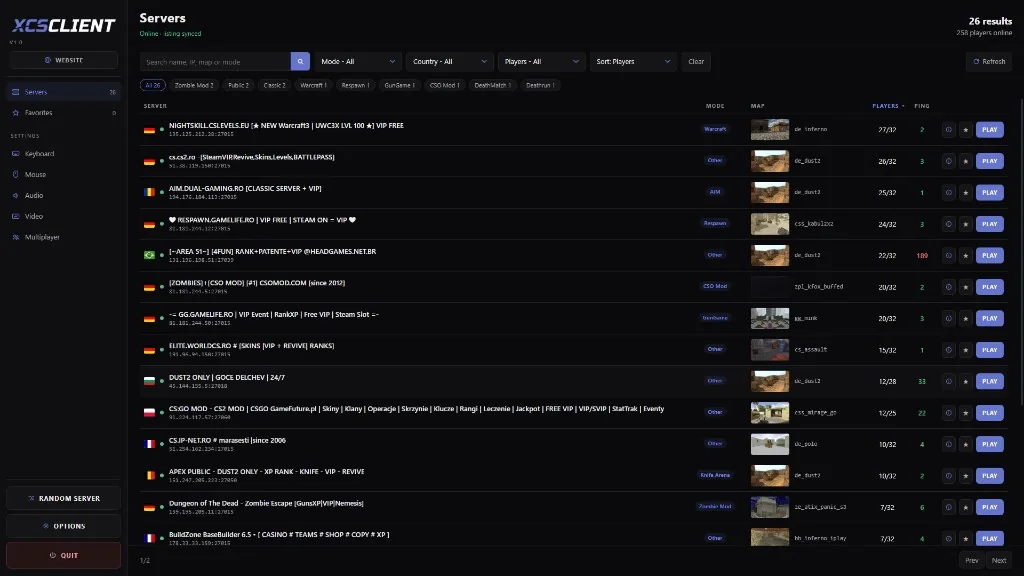
- Put your server on XCSTRIKE so players can find it: