CS 1.6
How to install AMX Mod X on a ReHLDS server
Install Metamod-r and AMX Mod X 1.10 on a CS 1.6 ReHLDS server, make yourself admin and add your first plugin, on Windows or Linux.
Series · part 2 of 5Your first CS 1.6 server
In this guide 10 sections
AMX Mod X is the plugin platform for Counter-Strike 1.6. It gives your server admins, menus, map voting and access to thousands of plugins. It runs on top of Metamod, so you install Metamod first, then AMX Mod X, then you check that both are loaded. This guide does it step by step, on Windows or Linux, in about 15 minutes.
Quick steps#
- Download Metamod-r and AMX Mod X 1.10 (Base Package + Counter-Strike addon).
- Copy both into your server's
cstrikefolder. - In
liblist.gam, point thegamedllline to Metamod. - In
addons/metamod/plugins.ini, add the AMX Mod X line. - Restart the server and type
meta listto check that AMX Mod X showsRUN. - Add yourself as admin in
users.ini.
The full instructions for each step are below.
What you need#
- A CS 1.6 dedicated server that already starts (HLDS or ReHLDS)
- Access to the server files: a local folder, FTP or SSH
- A text editor (Notepad++ on Windows,
nanoon Linux)
| Download | What it is | Where |
|---|---|---|
| Metamod-r | Loads plugins into the game; AMX Mod X needs it | Metamod-r releases |
| AMX Mod X 1.10 | Admins, menus and .amxx plugins | amxmodx.org downloads |
| ReHLDS (recommended) | Faster, fixed server engine | ReHLDS releases |
No server yet? Make one first:
How to Make a CS 1.6 Server (SteamCMD + ReHLDS)Make your own Counter-Strike 1.6 server on Windows or Linux: install HLDS with SteamCMD, add ReHLDS, set server.cfg and open the port.Read the guideFrom the AMX Mod X site you need two archives for your system: the Base Package and the Counter-Strike addon. Pick Windows or Linux to match your server, not your PC.
Use the normal 32-bit Linux files (the ones ending in _i386.so). They run fine on 64-bit Linux; AMX Mod X no longer supports separate AMD64 builds.
Install Metamod-r and AMX Mod X#
1Back up liblist.gam
Make a copy of
cstrike/liblist.gambefore you change anything. If something goes wrong, you put the copy back and the server starts as before.cstrike/liblist.gam2Copy Metamod-r
Unpack the Metamod-r archive into
cstrike. When you are done, the Metamod file for your system must be here:cstrike/addons/metamod/metamod.dllcstrike/addons/metamod/metamod_i386.so3Point the server to Metamod
Open
cstrike/liblist.gam. Find thegamedllline and replace it with the Metamod path. Change only the line for your system.The line looks like
gamedll "dlls\mp.dll". Replace it with:liblist.gaminigamedll "addons\metamod\metamod.dll"The line looks like
gamedll_linux "dlls/cs.so". Replace it with:liblist.gaminigamedll_linux "addons/metamod/metamod_i386.so"4Copy AMX Mod X
Unpack both AMX Mod X archives (Base Package and Counter-Strike addon) into
cstrike. They use the same folders, so allow the files to merge. Check that this file exists:cstrike/addons/amxmodx/dlls/amxmodx_mm.dllcstrike/addons/amxmodx/dlls/amxmodx_mm_i386.so5Tell Metamod to load AMX Mod X
Open
cstrike/addons/metamod/plugins.ini. If the file does not exist, create it. Add one line:addons/metamod/plugins.iniiniwin32 addons\amxmodx\dlls\amxmodx_mm.dlladdons/metamod/plugins.iniinilinux addons/amxmodx/dlls/amxmodx_mm_i386.so6Restart the server
Stop the server completely and start it again. A map change is not enough: Metamod only loads when the server starts.
Check that AMX Mod X is running#
Type this in the server console (or with rcon from the game):
meta listYou should see AMX Mod X in the list with the status RUN, roughly like this:
Currently loaded plugins:
      description      stat pend  file              vers
 [ 1] AMX Mod X        RUN   -    amxmodx_mm.dll    v1.10.0
Then list the AMX Mod X plugins:
amxx pluginsIf you see a list of plugins marked running, everything works. If not, go to [Troubleshooting](#troubleshooting).
Make yourself admin#
Admins are added in this file:
cstrike/addons/amxmodx/configs/users.iniYou need your SteamID (it looks like STEAM_0:1:12345678). Find it from your Steam profile link:
Add a line at the end of users.ini:
; "SteamID" "password" "access" "account flags"
"STEAM_0:1:12345678" "" "abcdefghijklmnopqrstuv" "ce"
What the four parts mean:
| Part | Value | Meaning |
|---|---|---|
| SteamID | STEAM_0:1:12345678 | Who gets admin |
| Password | "" | Empty: no password needed |
| Access | abcdefghijklmnopqrstuv | Every admin right |
| Account flags | ce | c = it's a SteamID, e = don't ask for a password |
z means not an admin. If you add it to the access letters, the line stops working.
Save the file, reconnect to the server and type amxmodmenu in your game console (open it with ~). The admin menu opens.
Give friends fewer rights
You don't have to give everyone every right. For example, bcdefiju lets a moderator kick, ban, slay, change maps, start votes and use the menu, but not change server settings. The full list of letters is in the comments at the top of users.ini.
Every flag, name and password admins, VIP and moderator levels are explained in the next guide:
How to Add Admins on a CS 1.6 Server (users.ini)Add admins on your CS 1.6 server with AMX Mod X: by SteamID, name and password or IP. Every access flag explained, with ready-made admin levels.Read the guideInstall your first plugin#
Plugins are .amxx files. Installing one takes two steps:
1Copy the plugin file
Put the
.amxxfile here:cstrike/addons/amxmodx/plugins/If the plugin comes with sounds, models or a config, copy those folders into
cstriketoo.2Turn it on in plugins.ini
Open
addons/amxmodx/configs/plugins.iniand add the file name on a new line at the end:addons/amxmodx/configs/plugins.iniini; custom plugins my_plugin.amxxChange the map or restart the server. Check with
amxx plugins.
The XCSTRIKE plugin library has plugins already compiled for your AMX Mod X version, with install files ready to copy:
Plugin libraryAMX Mod X, SourceMod and CS2 plugins, compiled for your version.OpenOnly have the .sma source code? Compile it online, nothing to install:
Basic settings#
The main AMX Mod X config is amxx.cfg. These are the settings most admins change first:
// Show admin actions in chat: 0 = no, 1 = without name, 2 = with name
amx_show_activity 2

// Allow players to start votes
amx_vote_allowed 1

// How long a vote lasts, in seconds
amx_vote_time 10
Changes apply after a map change.
Troubleshooting#
meta list shows "badf" next to AMX Mod X#
The path in addons/metamod/plugins.ini points to a file that does not exist. Check every letter: on Linux the names are case sensitive and use /, on Windows they use \. Also make sure you copied the AMX Mod X files for the right system.
"meta" is an unknown command#
Metamod is not loading. Open liblist.gam again and check that the gamedll (Windows) or gamedll_linux (Linux) line points to the Metamod file, and that the file is really there. Restart the server after the change.
A plugin shows "bad load" or "failed"#
Open the newest log file:
cstrike/addons/amxmodx/logs/The log says why. Most of the time the plugin was compiled for another AMX Mod X version, or it needs a module that is not turned on in addons/amxmodx/configs/modules.ini.
The server does not start anymore#
Put back the liblist.gam you saved in the first step. If the server starts, one of the paths in this guide is wrong; go through the steps again.
The admin menu does not open#
Check that your SteamID in users.ini is exactly the one shown by status in the console, that the line has four parts in quotes, and that you reconnected after saving.
FAQ#
Do I need Metamod to run AMX Mod X?#
Yes. AMX Mod X is a Metamod plugin, so Metamod must be installed and loaded first.
Can I use AMX Mod X without ReHLDS?#
Yes. Metamod-r and AMX Mod X also work on the original HLDS. ReHLDS is recommended because it is faster, fixes many bugs, and many modern plugins (through ReAPI) need it.
Which AMX Mod X version should I use?#
Use 1.10. It is the current version, most new plugins are made for it, and it also runs almost all older plugins.
Where are the AMX Mod X config files?#
All of them are in cstrike/addons/amxmodx/configs/: users.ini for admins, plugins.ini for plugins, amxx.cfg for settings and modules.ini for modules.
Next steps#
Your server has AMX Mod X and you are admin. Now:
- Add more admins, moderators and VIPs: How to Add Admins on a CS 1.6 Server
- Browse more server guides
- Find plugins in the plugin library
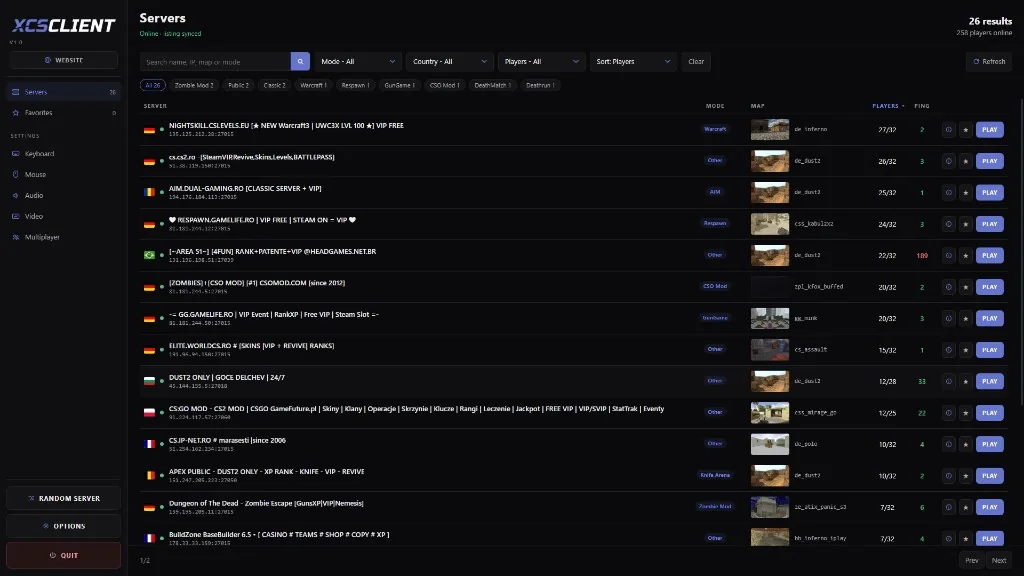
- Put your server on the list so players can find it: