CS 1.6
How to install AMX Mod X on a ReHLDS server
Install Metamod-r and AMX Mod X 1.10 on a CS 1.6 ReHLDS server, make yourself admin and add your first plugin, on Windows or Linux.
Want admin commands, map voting and thousands of plugins on your Counter-Strike 1.6 server? You need AMX Mod X. It runs on top of Metamod-r, and both work best on ReHLDS. This guide takes you from a clean server to a working admin menu in about 15 minutes, on Windows or Linux.
Press ~ in the game to open the console whenever you test something. New to servers? Start with the first guide in this series.
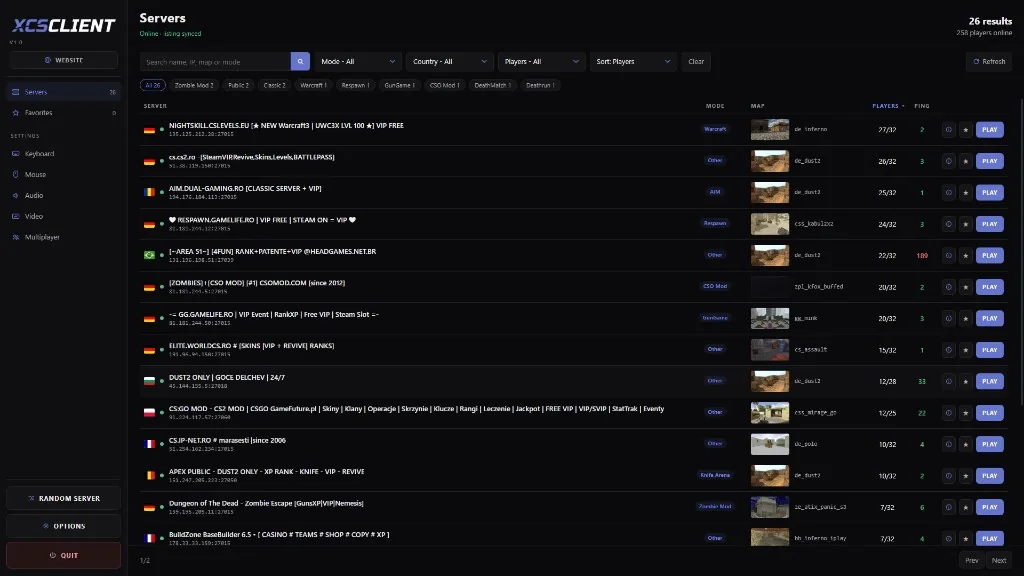
Live CS 1.6 serversBrowse servers with players online right now, by map, mode and country.Browse servers
What you need#
- A CS 1.6 server that already starts (made with SteamCMD)
- ReHLDS installed over the original engine
- Access to the server files (FTP, SSH or local folder)
- About 10 MB of free space
| Part | What it does | Where to get it |
|---|---|---|
| ReHLDS | Fixed and faster server engine | GitHub releases |
| Metamod-r | Loads plugins like AMX Mod X | GitHub releases |
| AMX Mod X 1.10 | Admins, menus and .amxx plugins | amxmodx.org |
| ReAPI (optional) | Extra functions many plugins need | GitHub releases |
Use AMX Mod X 1.10. Most new plugins are written for it, and 1.10 still runs almost every plugin made for 1.8.2.
Install everything#
1Download the files
Get the latest Metamod-r release and, from the AMX Mod X site, two packages for your system: the Base Package and the Counter-Strike addon.
TipOn Linux, download straight to the server with
wgetinstead of uploading by FTP. It is faster and keeps the file permissions.2Copy Metamod-r
Unpack the Metamod-r archive into your
cstrikefolder. When you are done, these files must exist:cstrike/addons/metamod/metamod.dllcstrike/addons/metamod/metamod_i386.so3Tell the server to load Metamod
Open
cstrike/liblist.gamand change only the line for your system.liblist.gaminigamedll "addons\metamod\metamod.dll"liblist.gaminigamedll_linux "addons/metamod/metamod_i386.so"Keep a copySave the original line somewhere first. If the server stops starting, put it back and it will run without plugins again.
4Copy AMX Mod X
Unpack both AMX Mod X archives into
cstrike. They share folders, so say Yes when asked to merge. Check that this file exists:cstrike/addons/amxmodx/dlls/amxmodx_mm.dll5Add AMX Mod X to Metamod
Create the file
addons/metamod/plugins.ini(or open it if it exists) and add one line:addons/metamod/plugins.iniiniwin32 addons\amxmodx\dlls\amxmodx_mm.dlladdons/metamod/plugins.iniinilinux addons/amxmodx/dlls/amxmodx_mm_i386.so6Restart and check
Restart the server and type these in the server console:
bashmeta list amxx version amxx pluginsYou should see AMX Mod X with the status
RUN. If it saysbadfor nothing shows up, open the troubleshooting section below.

Make yourself admin#
Open the admins file:
cstrike/addons/amxmodx/configs/users.iniAdd a line at the end with your SteamID. Find it with the SteamID tool:
SteamID FinderEvery SteamID format from a profile link.Open; "SteamID" "password" "access flags" "account flags"
"STEAM_0:1:12345678" "" "abcdefghijklmnopqrstu" "ce"ce means: log in by SteamID, no password needed. Anyone with that SteamID gets every admin power, so double-check the number.
Now reconnect and type amxmodmenu in your game console. The admin menu opens.
Tip from experience: give friends only the flags they need. A full list of flags is in the comments at the top of users.ini.
Add your first plugin#
Plugins from the XCSTRIKE library are already compiled for your AMX Mod X version. Download the install ZIP and copy it over cstrike.
– 5View plugin
Then turn the plugin on in plugins.ini:
; your plugins go at the end of the file
test.amxx
Got a .sma file instead? Compile it online, no tools to install:
A tiny plugin to learn from#
This is what a plugin looks like inside. Save it as hello.sma and compile it:
#include <amxmodx>

#define PLUGIN  "Hello"
#define VERSION "1.0"

public plugin_init()
{
    register_plugin(PLUGIN, VERSION, "you"); // name, version, author
    register_clcmd("say /hello", "cmd_hello");
}

public cmd_hello(id)
{
    client_print(id, print_chat, "Hello! You are player #%d", id);
    return PLUGIN_HANDLED;
}
Players type /hello in chat and get an answer.
Useful settings#
The main config is amxx.cfg. These are the lines most admins change:
// Show admin names when they kick or ban (0 = hide, 1 = show)
amx_show_activity 2

// Seconds a map vote lasts
amx_vote_time 10

// Allow players to vote for the next map
amx_vote_allowed 1| CVAR | Default | What it does |
|---|---|---|
amx_show_activity | 2 | Show admin actions to players |
amx_vote_time | 10 | How long a vote lasts, in seconds |
amx_vote_allowed | 1 | Players can start votes |
Start the server with the right map#
hlds.exe -console -game cstrike +map de_dust2 +maxplayers 32 -port 27015./hlds_run -game cstrike +map de_dust2 +maxplayers 32 -port 27015Screenshots#


Watch it done#
Troubleshooting#
AMX Mod X shows "badf" in meta list
The file path in addons/metamod/plugins.ini is wrong. On Linux, names are case sensitive: amxmodx_mm_i386.so is not the same as AMXModX_mm_i386.so. Copy the path exactly from this guide.
"meta" is an unknown command
Metamod is not loading. Check the gamedll line in liblist.gam, and make sure the file is in addons/metamod/, not in addons/metamod/dlls/.
A plugin says "bad load" or "failed"
Open the newest file in the logs folder:
cstrike/addons/amxmodx/logs/Most of the time the plugin was compiled for a different AMX Mod X version, or it needs a module (like ReAPI) that is not installed.
The server does not start at all
Put back the original line in liblist.gam. If it starts again, one of the files above is in the wrong place.
Still stuck? Ask on the forum and say which step fails. Paste the error from the console.
Bonus: catch cheaters#
Once you have admins, give them a way to check suspicious players. CheatDetector is free and makes a public report you can link in a ban appeal.
Download CheatDetectorThe free cheat scanner for CS 1.6 and CS2 players.Get itNext steps#
When the server is ready, put it on the list so players find it:
Add your serverList your server on XCSTRIKE and get players.Open Download CS 1.6Free, clean client on NextClient 8684, with the XCSTRIKE server list.Download